How to Customize Car Rim Watch Face: Colors, Complications & Style Guide [2026]
You've installed the Car Rim Watch Face and it already looks incredible on your wrist. But did you know you can customize it to perfectly match your personal style? In this guide, we'll walk you through every customization option — from swapping color themes to understanding the built-in complications.
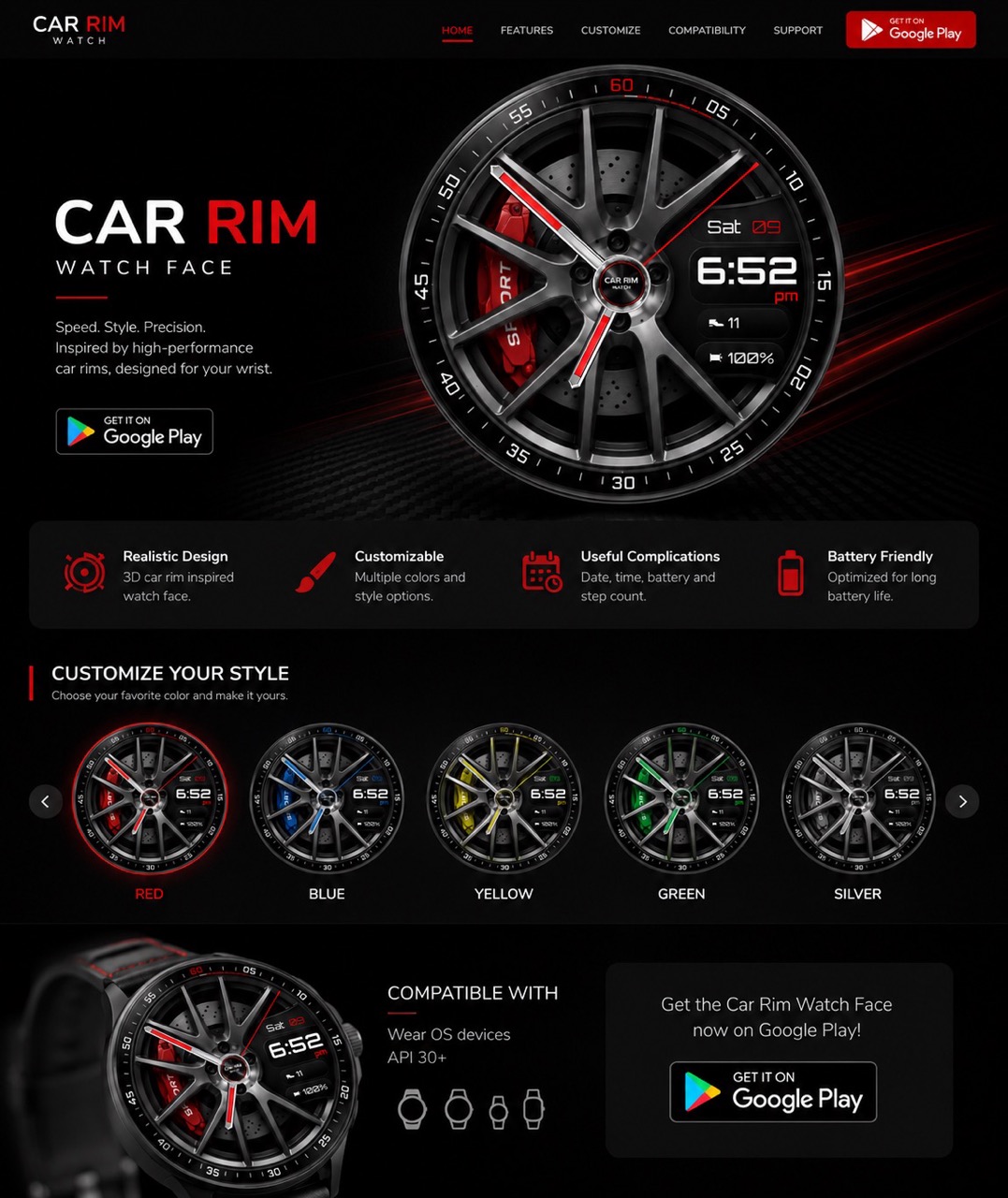
🎨 Step 1: Choose Your Color Theme
The Car Rim Watch Face comes with 5 stunning color themes. Each theme changes the accent color across the entire watch face — the brake caliper, hand accents, second hand needle, and minute markers all update to match.
| Theme | Vibe | Best For |
|---|---|---|
| 🔴 Racing Red | Aggressive, sporty | Ferrari / Lamborghini fans |
| 🔵 Electric Blue | Cool, techy | BMW M / Subaru vibes |
| 🟡 Racing Yellow | Bold, eye-catching | Porsche / Corvette energy |
| 🟢 Racing Green | Classic, refined | British racing heritage |
| ⚪ Silver | Sleek, minimal | Mercedes / Audi elegance |
To switch themes: long-press your watch face → tap the settings gear icon → select your color. The change is instant.
📊 Step 2: Understand Your Complications
The Car Rim Watch Face displays four key pieces of information alongside the time:
- 📅 Day & Date — displayed in the upper-right corner (e.g., "Sat 09")
- ⏰ Digital Time — large Orbitron font with AM/PM indicator
- 👟 Step Count — your daily steps shown with a shoe icon
- 🔋 Battery Percentage — always know your watch battery level
These complications are thoughtfully placed in the right quadrant so they don't obstruct the stunning wheel design on the left side.
⚡ Step 3: Optimize for Battery Life
The Car Rim Watch Face is already optimized for battery efficiency. The dark base color (#0a0a0c) means fewer pixels are lit on AMOLED displays, saving power. The ambient always-on display mode uses a simplified layout to minimize battery drain overnight.
Pro tips for maximum battery life:
- Enable always-on display only if your battery can handle it
- The dark color scheme naturally saves 20-30% battery vs. bright watch faces
- Step counter runs passively — no extra battery cost
🏁 Design Details You Might Have Missed
The Car Rim Watch Face is packed with subtle details that reward close inspection:
- The minute markers around the outer ring use a racing-inspired numbering system (05, 10, 15...60)
- The hour hand has a red accent stripe running down its center
- The brake caliper has embossed text detail, just like a real Brembo caliper
- The spoke shadows shift subtly, giving the impression of 3D depth
- The center hub features a "CAR RIM WATCH" logo, mimicking a real wheel center cap
📲 Get Started
Ready to customize your Car Rim Watch Face? Download it from Google Play, install it on your Wear OS smartwatch, and make it yours. With 5 color themes and a design that turns heads, it's the best customizable car watch face available today.
#CustomizeWatchFace #CarRimWatch #WearOS #WatchFaceGuide #SmartWatchCustomization #RacingWatchFace #GalaxyWatch #PixelWatch
Try It Yourself
Download our app and experience these features firsthand.