[2026 Free] How to Display Floating Lyrics on Screen (Supports Spotify, YouTube Music & More!)
Are you tired of switching back and forth between apps just to check the lyrics? Whether it's Spotify, YouTube Music, or other players, lyrics are usually locked inside the app. Once you switch to reply to a message, scroll through Instagram, or play a game, the lyrics are gone.
In this post, I'll share a simple way to keep your lyrics floating on top of your screen like a Picture-in-Picture mode. No matter what you're doing, the lyrics are always visible!
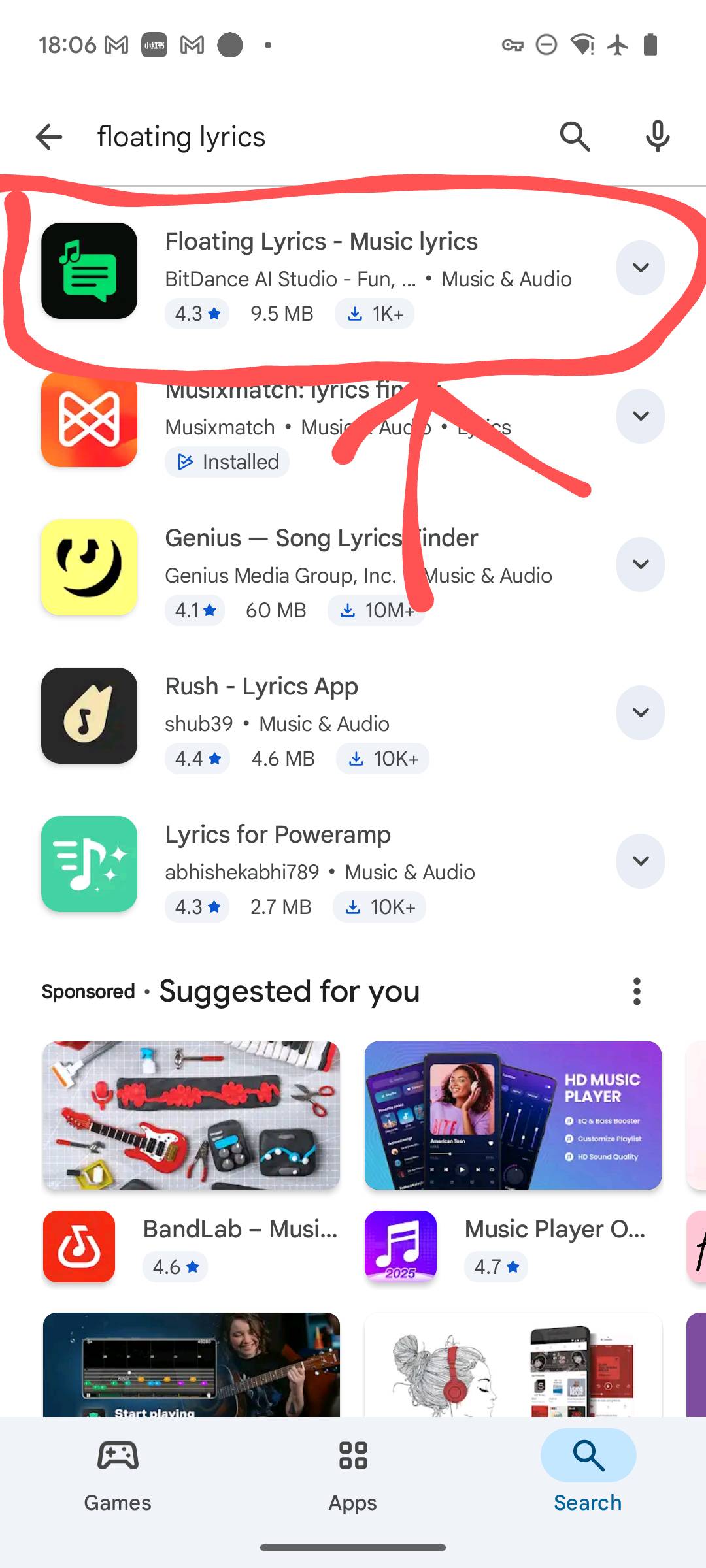
Step 1: Download & Install
First, head to the Google Play Store and download Floating Lyrics.
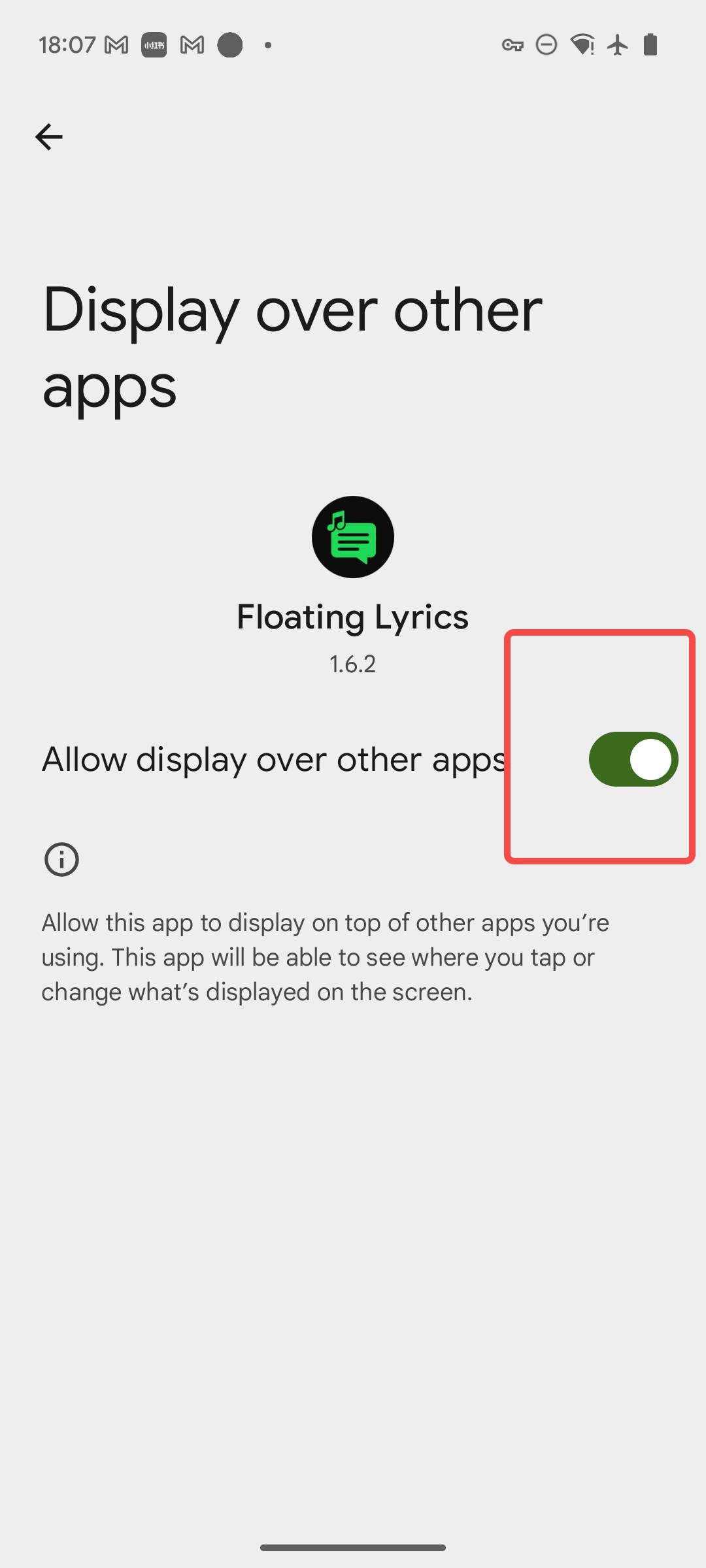
Step 2: Grant Overlay Permission
Open the app and grant the "Display over other apps" permission. This allows the lyrics window to float on top of all other applications.
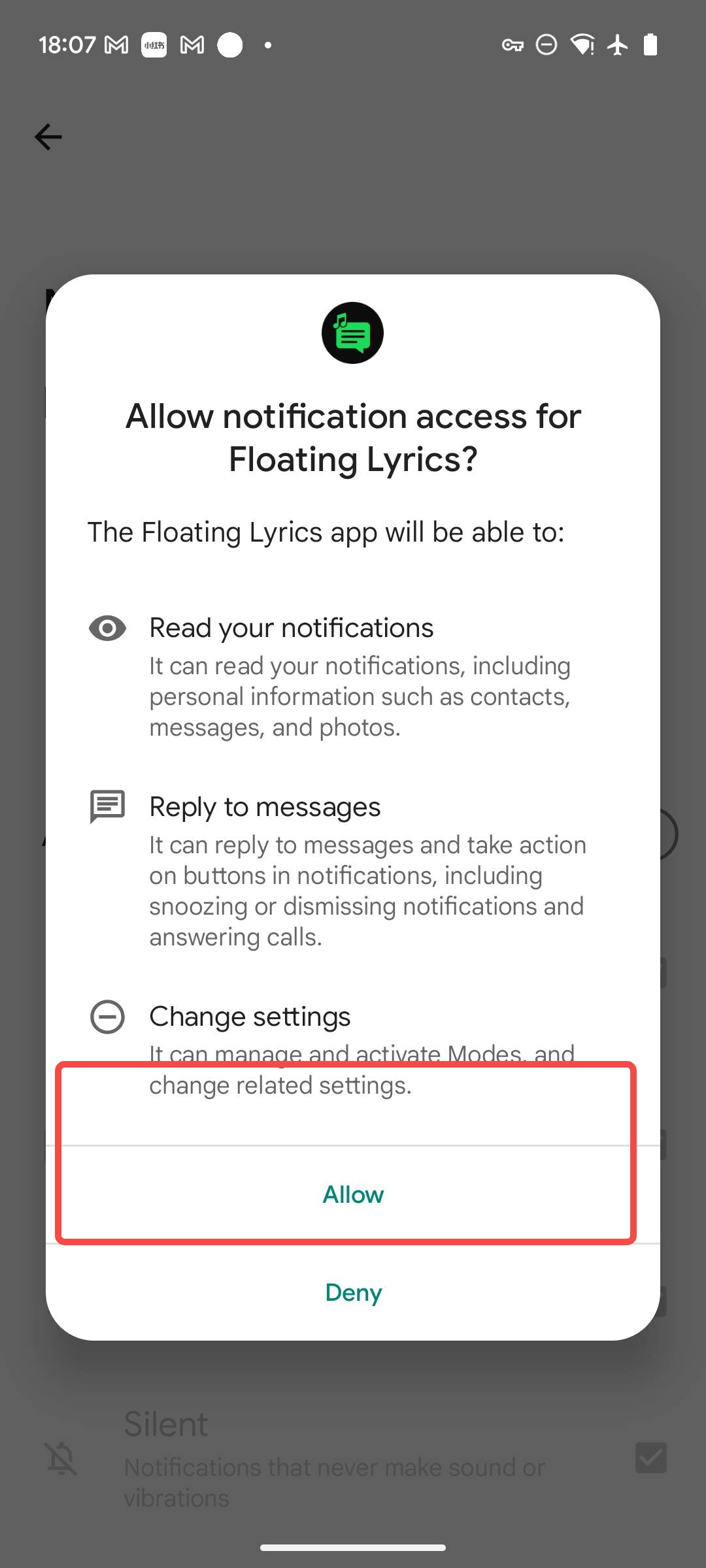
Step 3: Grant Notification Access
Next, grant "Notification Access". The app needs this to read the playback status from your notification bar to sync the song info and lyrics.
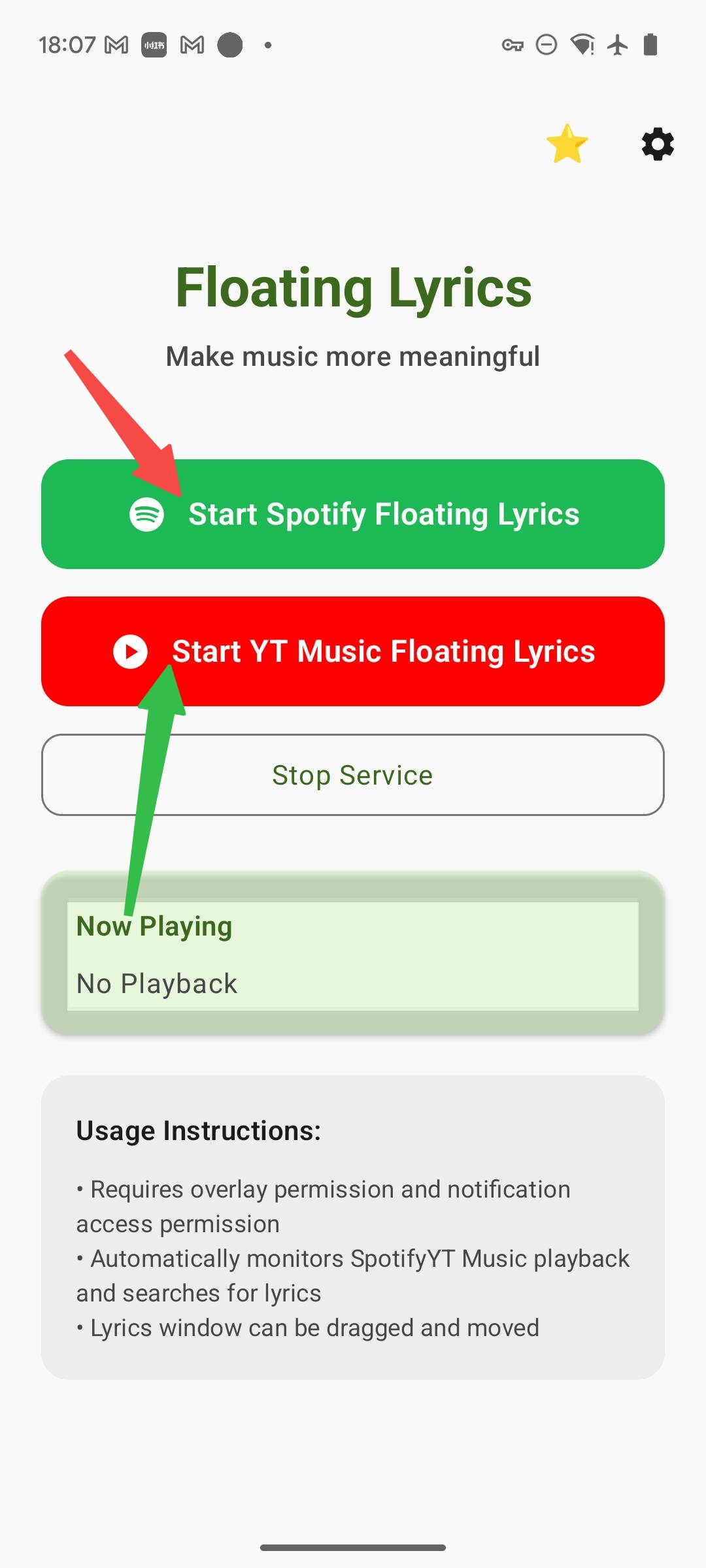
Step 4: Start Using
Once permissions are set, tap the Start button on the home screen. Now, open your music app (like Spotify) and start playing—the lyrics will automatically float on your screen!
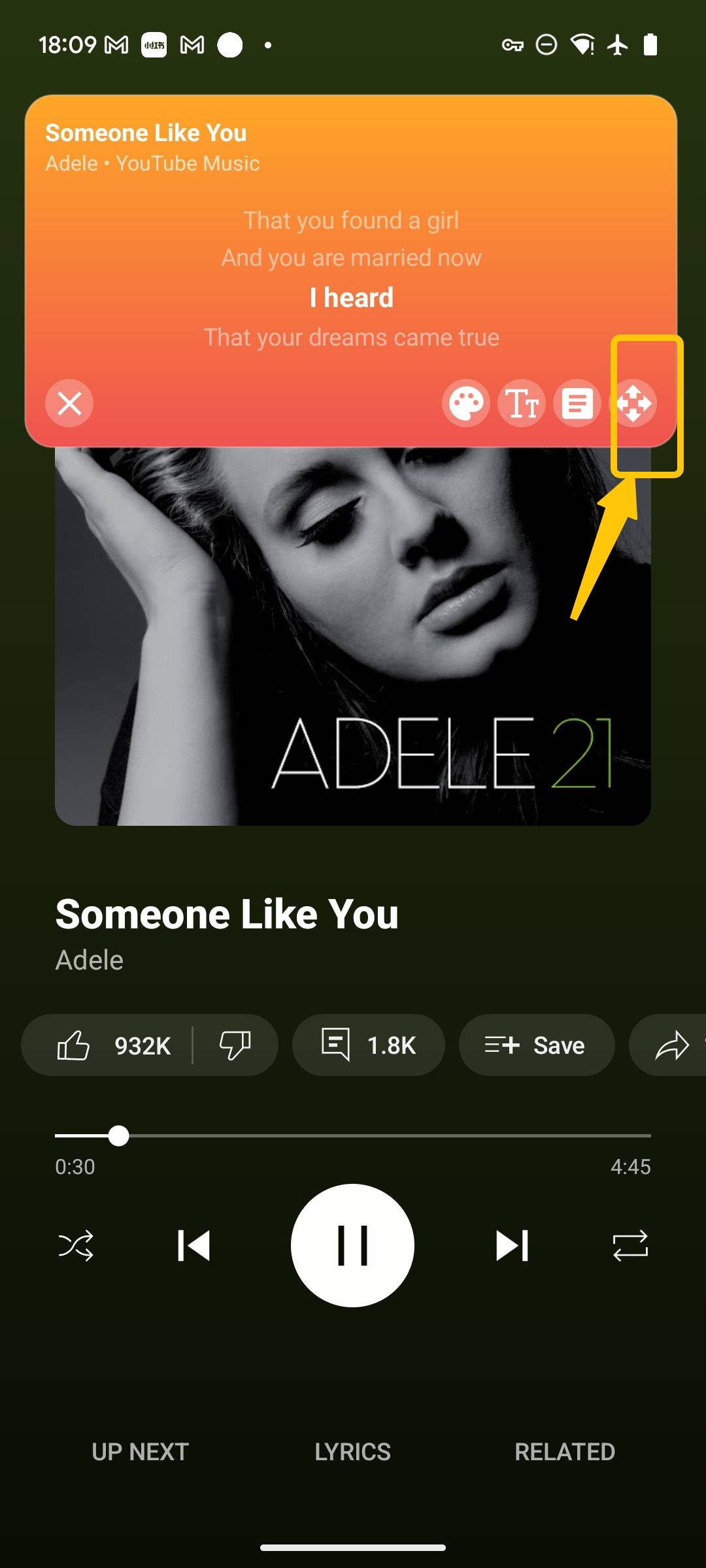
Adjust Freely
You can drag the lyrics window to any position or resize it, ensuring it doesn't block your game or chat.
Conclusion
Freeing your lyrics from the music player offers a brand new listening experience. If you can't live without music, I highly recommend giving this a try!
Try It Yourself
Download our app and experience these features firsthand.