How to Make Your Photos Look Aesthetic on Android: 10 Easy Tips [2026]
Scrolling through Instagram and wondering how everyone's photos look so aesthetic? That dreamy, cohesive feed with soft tones, cinematic vibes, and professional-looking shots — it's not just expensive cameras. The secret is the right filters, lighting, and a great camera app.
Here are 10 easy tips to make any Android phone photo look stunning — plus a free app that does most of the work for you.
1. 🌅 Shoot During Golden Hour
The hour after sunrise and before sunset gives you warm, soft, directional light that makes everything look magical. This is the #1 secret of aesthetic photography — no filter can fully replicate natural golden hour light.
2. 🎨 Use Film and Vintage Filters
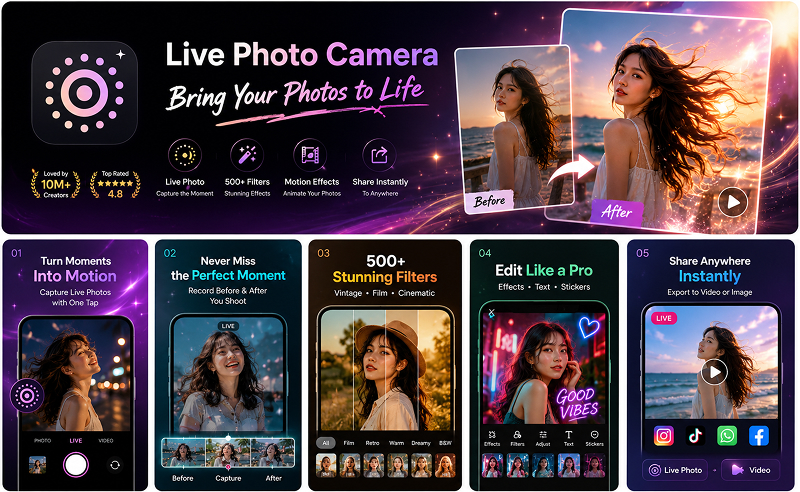
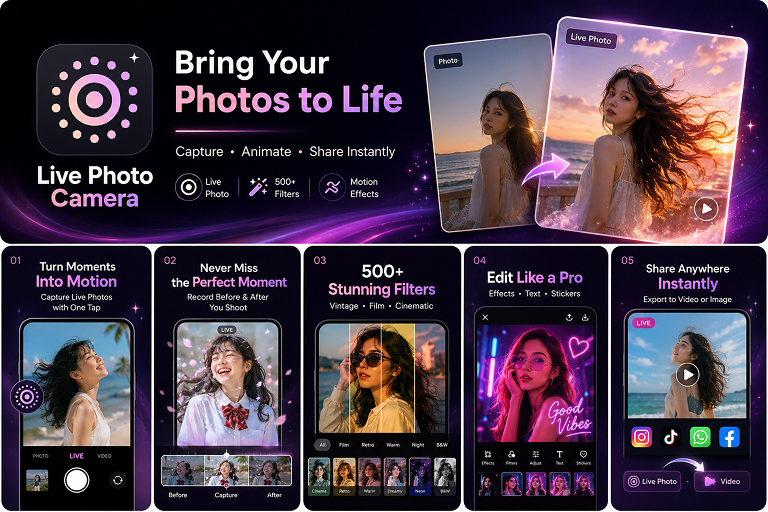
The fastest way to achieve an aesthetic look is a well-chosen filter. Film, Retro, Cream, and Warm filters instantly give your photos that sought-after vintage magazine quality. Live Photo Camera offers 500+ filters you can preview in real-time before you even take the shot.
3. 📐 Follow the Rule of Thirds
Turn on the grid overlay in your camera settings. Place your subject at the intersection points of the grid lines instead of dead center — this instantly makes compositions more dynamic and professional.
4. 🧹 Keep Backgrounds Clean
Cluttered backgrounds kill the aesthetic vibe. Look for simple, minimal backgrounds — solid walls, open skies, empty streets. If you can't find a clean background, use Portrait mode to blur it.
5. 🎬 Add Motion with Live Photos
Static photos are great, but live photos add another dimension. Hair moving in the wind, water rippling, city lights flickering — these micro-movements make your content feel alive and cinematic. Use Live Photo Camera's LIVE mode to capture these moments with a filter applied in real-time.
6. 🌡️ Warm Up Your Tones
Cool, blue-toned photos can feel clinical. Warming up your color temperature slightly (or using a Warm/Sunset filter) gives photos a cozy, inviting feel that's universally appealing on social media.
7. 🔤 Add Subtle Text and Stickers
A well-placed text overlay or aesthetic sticker can transform a good photo into shareable content. Think "Good Vibes," a date stamp, or a neon glow sticker. Live Photo Camera has a full sticker and text editor built right into the camera flow.
8. 📸 Shoot More, Post Less
Professional photographers take hundreds of shots and select the best. Take multiple angles and expressions. With Live Photo Camera's motion capture, you can even pick the perfect frame from a live photo after the fact.
9. 🎨 Stick to a Color Palette
Aesthetic feeds use consistent color palettes. Pick 2–3 dominant colors and try to include them in your shots. Then use the same filter family (e.g., always Cream or always Film) for a cohesive look across your gallery.
10. 📤 Export and Share Properly
Always export in the highest quality your platform supports. For Instagram, use 1080x1350 (4:5) for feed posts and 1080x1920 (9:16) for Stories and Reels. Live Photo Camera lets you export live photos as video or image in the right aspect ratio for each platform.
📱 The All-in-One App for Aesthetic Photos
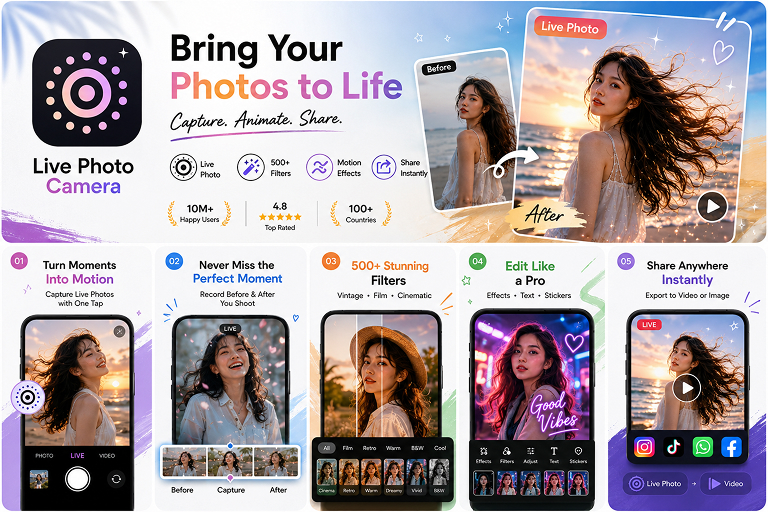
Instead of juggling multiple apps for filters, stickers, and sharing, Live Photo Camera combines everything in one beautiful package. Loved by 10M+ creators with a 4.8-star rating, it's the easiest way to make your Android photos look aesthetic without any editing experience.
#AestheticPhotos #PhotoTips #AndroidPhotography #InstagramAesthetic #PhotoFilters #VintageVibes #LivePhotoCamera #2026
Try It Yourself
Download our app and experience these features firsthand.