Nixie Tube Watch Face: Health Tracking, Weather & All Features Explained [Complete Guide]
The Nixie Tube Digital Watch Face isn't just a pretty face — it's packed with practical features that make it a serious daily driver. From real-time weather to heart rate monitoring, this guide covers everything you can do with the Nixie Tube Watch Face on your Wear OS smartwatch.
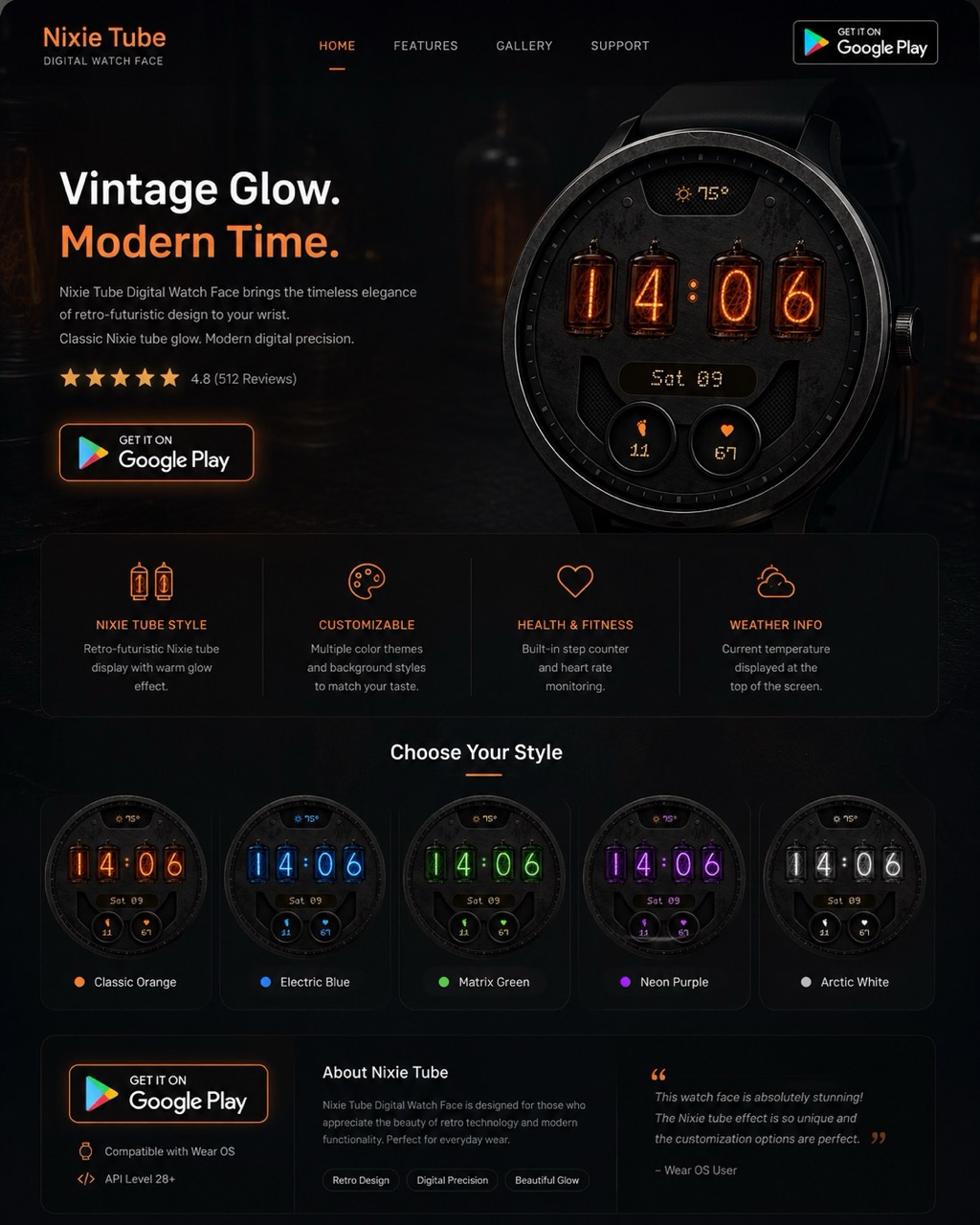
🌡️ Weather at a Glance
One of the most useful features is the real-time weather temperature display at the top of the watch face. No need to open a separate app — just glance at your wrist to see the current temperature. The weather icon and temperature are styled to match the Nixie tube aesthetic, so they blend seamlessly with the overall design.
The temperature updates automatically throughout the day using your watch's built-in weather complication, ensuring you always have accurate, location-based data.
❤️ Heart Rate Monitoring
Your heart rate is displayed with a heart icon at the bottom of the watch face. This uses your smartwatch's built-in optical heart rate sensor for continuous monitoring. It's especially useful for:
- Monitoring your resting heart rate throughout the day
- Quick checks during exercise or walking
- Noticing stress-related heart rate spikes
- Tracking your overall cardiovascular health trends
👟 Step Counter
The built-in step counter complication displays your daily step count, helping you stay motivated to hit your activity goals. The step data syncs with your watch's health ecosystem (Samsung Health, Google Fit), so it's always accurate.
Seeing your step count on the watch face — without navigating into any app — is a powerful motivator. Many users report walking 20-30% more just from having steps visible at a glance.
📅 Date & Day Display
The day of the week and date are rendered in the same Nixie tube style, positioned in the middle of the watch face. The format shows the abbreviated day and date number (e.g., "Sat 09"), giving you all the calendar info you need without cluttering the display.
🎨 Customizing Your Theme
Each of the 5 color themes completely transforms the look and feel:
| Theme | Mood | Perfect Pairing |
|---|---|---|
| 🟠 Classic Orange | Warm, nostalgic | Leather straps, casual wear |
| 🔵 Electric Blue | Futuristic, cool | Metal bands, tech events |
| 🟢 Matrix Green | Hacker, cyberpunk | Dark outfits, coding sessions |
| 🟣 Neon Purple | Synthwave, creative | Night out, creative work |
| ⚪ Arctic White | Clean, modern | Formal settings, white bands |
🔋 Battery & Always-On Display
The watch face features an ambient always-on display mode that uses a simplified, dimmed version of the Nixie layout. This mode is optimized for AMOLED screens — the dark background means most pixels are off, preserving battery life while keeping the time visible.
Battery-saving tips:
- The dark theme naturally saves power on AMOLED displays
- Ambient mode uses minimal active pixels
- Heart rate sensor polls at standard intervals — no extra drain
📲 Get the Full Experience
The Nixie Tube Watch Face combines retro-futuristic beauty with modern smartwatch functionality. Weather, health tracking, step counting, and 5 color themes — all wrapped in the iconic glow of vintage Nixie tubes. Download it today from Google Play and bring a piece of engineering history to your wrist.
#NixieTubeWatchFace #WearOSFeatures #SmartWatchHealthTracking #WatchFaceGuide #RetroTech #GalaxyWatch #PixelWatch #WeatherWatchFace
Try It Yourself
Download our app and experience these features firsthand.